Service Robots: The 2026 Buyer's Guide for Guest Display & Autonomous Delivery, Enterprise Deployment, Use Cases & ROI
At a glance: AOMAN D1 pairs a 40 kg four-tray delivery platform with a 21.5-inch guest display, while AOMAN G1 handles greeting, check-in assistance and multilingual guidance. This guide maps five deployment models, the illustrative ROI math, and the vendor checklist that separates durable fleets from demos.
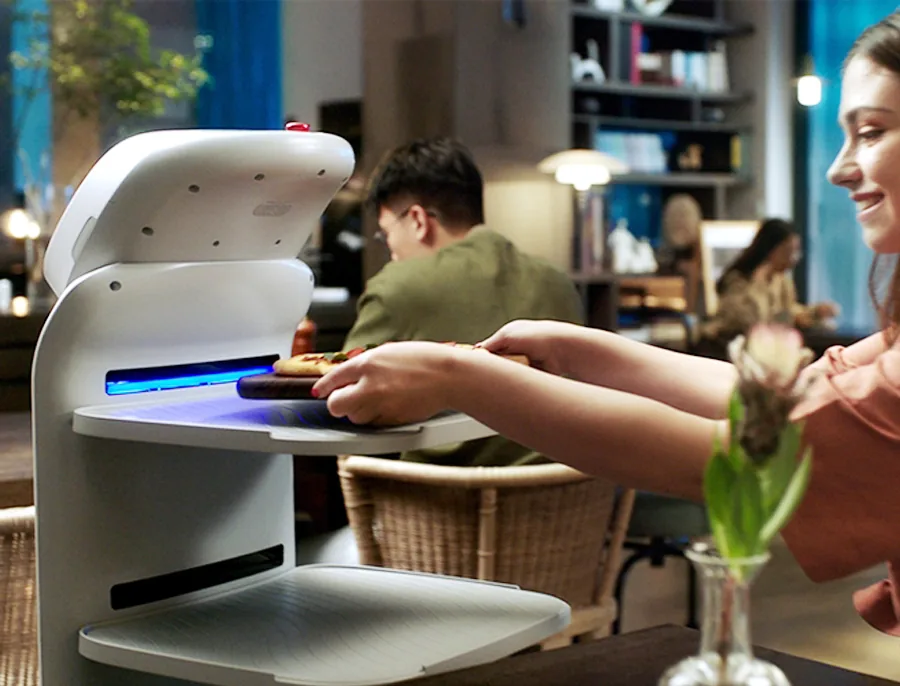
Between a static kiosk and a person there is a gap few facilities staff: the movement. A robot that carries goods and carries a screen sits in exactly that gap, and in 2026 the platforms split into two complementary jobs: delivery with display, and reception guidance.
This guide covers what a delivery-and-display robot platform is and is not, where the two AOMAN machines, the D1 delivery platform and the G1 reception guide, fit five deployment models, how to model the return, and the vendor questions that decide success.

What a Delivery-and-Display Robot Is, and Isn't
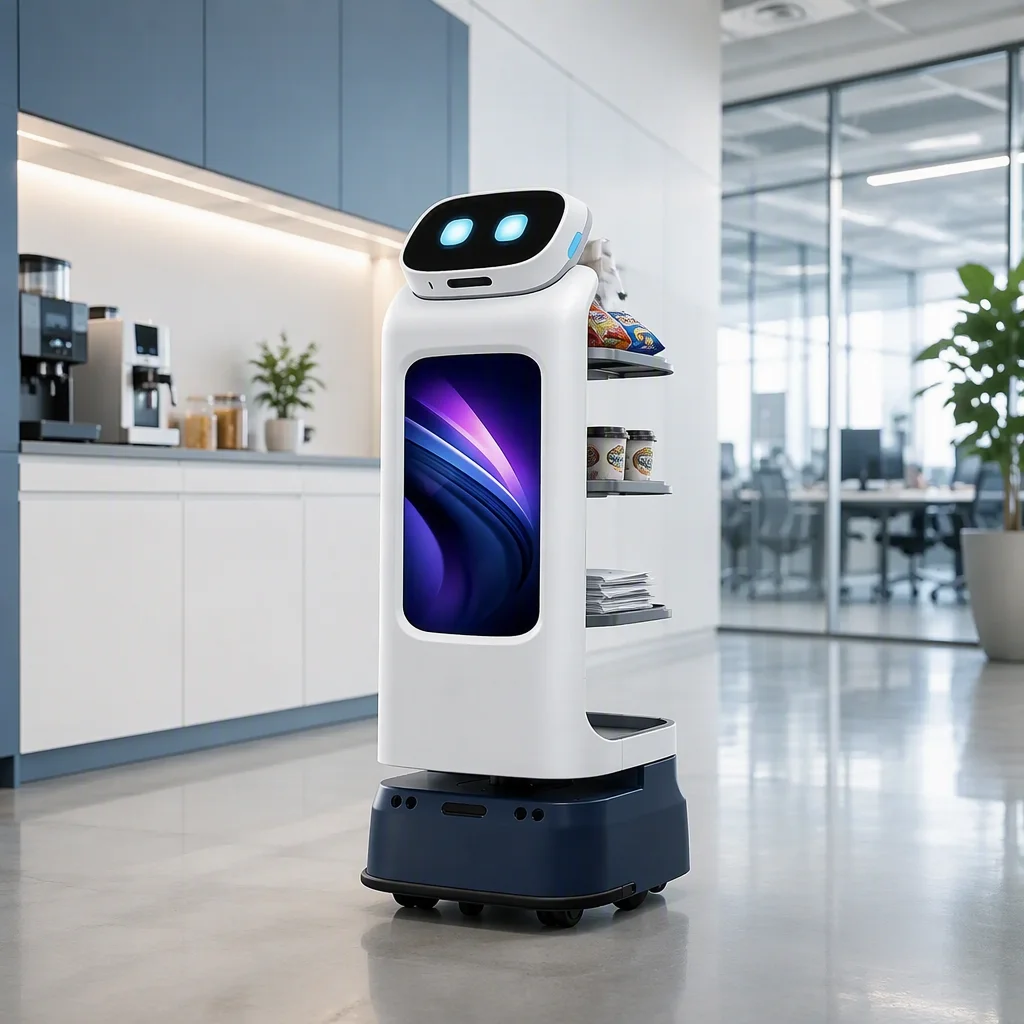
The AOMAN D1 is an autonomous mobile platform that pairs 40 kg of four-tray delivery capacity with a 21.5-inch guest-facing display. Unlike a kiosk, it moves: it navigates corridors, approaches queues and delivers to the destination under its own navigation. Unlike a remote-presence device, the interaction happens on site, at the moment the guest's question exists.
What it is:
- An autonomous delivery platform with a guest-facing display
- A moving surface for promotions, wayfinding, menu and service information
- A unit that maps, navigates and re-plans routes in real time
What it is not:
- A static self-service kiosk
- A remote-controlled video device, it operates autonomously
- A replacement for a receptionist, that role belongs to the AOMAN G1: 15 degrees of freedom for expressive greeting motion, a six-microphone array with 5 m pickup, a 13 MP camera, multilingual guidance, check-in assistance and automatic return-to-charge
The distinction determines procurement requirements: network, security, liability and training all differ between kiosks, remote-presence tools and autonomous robots.
The Two Platforms
| AOMAN D1 | AOMAN G1 | |
|---|---|---|
| Primary job | Delivery, food, documents, files, materials | Reception guidance, welcome, directions, check-in assistance |
| Payload | 40 kg across four tray positions | , |
| Interfaces | 21.5-inch display | 13 MP camera, six-mic array, 5 m pickup, multilingual guidance |
| Navigation | Autonomous mapping and re-routing | Autonomous mapping, auto-return to charge |
| Typical floor | Hospital corridors, hotel service floors, office levels, campuses | Airports, lobbies, hotels, museums, corporate reception |
In a publicly documented deployment at Paris Charles de Gaulle airport, G1 units assist passengers with wayfinding and check-in flow in the terminal; at an art museum in Osaka, a G1 greets visitors at the entrance and answers direction questions. Both are the same shape of task, the robot absorbs the repetitive majority of front-of-house traffic so staff handle the exceptional cases.
Technology Stack: What Makes It Work
Navigation and autonomy
The same SLAM stack powers the whole AOMAN line: map once, then walk the site with real-time obstacle handling and dynamic re-planning, with docking for charging between runs. Multi-floor operation depends on the site's lift integration, confirm it at the survey. How the categories line up:
| Capability | Kiosk | Remote-presence device | D1 delivery platform |
|---|---|---|---|
| Moves on site | No | No | Yes, autonomous routes |
| Carries goods | No | No | Yes, 40 kg, four trays |
| Guest display | Yes | Yes | Yes, 21.5-inch |
| Multi-floor | Per floor | N/A | With site lift integration |
| Fault behavior | Static | Follows operator | Autonomous re-plan |
Display and interaction
The D1's 21.5-inch screen is positioned for standing viewing, with content managed remotely, multilingual templates, schedules, promotion calendars and wayfinding sequences, so guests never wait on a loading state. Content states should be a design decision, not an implementation detail: greeting state, information state, delivery-status state.
Connectivity and security
Plan for the bandwidth of several concurrent robots on enterprise Wi-Fi with guest traffic on top. QoS prioritization keeps map updates and screen content ahead of a corridor full of tablets. On the security side: encrypted transport, role-based access to the fleet console, session logging, no long-term retention of guest imagery, and privacy obligations mapped to your region's data rules. Ask for the architecture document, not the summary slide.
Also ask what the unit does offline. A robot that halts on a Wi-Fi dead zone is a traffic jam; one that keeps moving on the last-seen map and syncs the log later is a fleet. The architecture statement tells you which one you are buying.

Five Deployment Models
1. Healthcare: specimen, pharmacy and meal dispatch
The D1's most compelling use is short-run dispatch in hospitals: specimen runs between wards and labs, pharmacy batch runs, meal-tray runs. The robot is transport, staff stay clinical. Ask for wipe-clean surfaces, spill-resistant tray liners, and API integration with your dispatch and nurse-call systems.
2. Corporate: mail, parcels and lobby support
Inter-office logistics on a schedule, morning mail runs, parcel circuits between floors and buildings, plus front-of-house: the G1 picks up greeting and check-in assistance at reception while the D1 works the corridors. Two platforms, one fleet console.
3. Education: campus delivery and guidance
Delivery to dining, library and administration stops on a loop; in the same buildings, a G1 stationed at the admin entrance handles wayfinding in the language the visitor speaks. Six-mic array with 5 m pickup and multilingual guidance are the difference between a sign and a service desk.
4. Industrial: JIT tooling and parts
Deliveries near confined spaces and hazardous zones keep people out of the riskiest walks: the robot carries tools, samples and PPE to the boundary, and its display surfaces the parts list and work order for the receiving team.
5. Senior living: meals, medication and daily connection
Meal and medication transport on programmed routes; the display shows activity schedules and menu previews in the lobby. The value is not automation per se. It is that the trip still happens when staffing is tight, and residents' waiting times do not quietly stretch.
Modeling the Return, Illustrated
Build the case on three components, all of them from your own data.
Direct labor replacement. Count the walking hours the robot's trips remove. Illustrative example: a courier who spends four hours daily on specimen and mail runs. At $22 per hour fully loaded, that is about $22,000 a year in transported staff time, against a D1 with dock and service plan at standard fleet pricing: the arithmetic puts the payback around nine months in continuous use.
Productivity. Hours saved are not all the same: an hour at the start of a dispatch shift, a non-interrupted inspection run, a delivery that lands before the morning round, including each is worth more than the last evening hour. The robot's trips reallocate time into any staffing plan; the value is in the reallocation, not in a percentage.
Soft returns. Retention, service levels and safety risk are real, but they must be argued on your own risk register: reduced walking load, lower corridor exposure, response times that stop being a negotiation. Count them in your case. Just label them as estimates in the board pack, because they are conditional on how the floor actually adopts the fleet.
The Vendor Checklist
- Autonomy grade: autonomous mapping and re-planning, not remote piloting.
- Payload and tray design: open trays with a real workload, test in your corridor, not a trade-show booth.
- Network tolerance: stated bandwidth per unit; test several concurrent units against your wireless audit.
- Security posture: encryption, access control, audit logs, ask for the documentation, not the marketing page.
- Fleet operations: one console for 10+ units, task priority, dock rotation, alerting.
- Service terms: response SLAs, spare-parts lead times, remote diagnostics first.
- API surface: EHR, nurse call, building management, access control, vet the list, not the roadmap.
- Total cost of ownership: docks, network upgrades, training, consumables, service plan. The hardware number is the smallest line in the budget.
Procurement tip: run a 30-day pilot with at least three units across different use cases before a fleet purchase. The failures that surface in week one are workflow failures, not technical ones.
Rolling It Out
The deployment order is the same for every site, and skipping the early steps is why pilots become demos:
- Choose the pilot site on the worst traffic, not the easiest lobby. If the robot works during the busiest service window of the busiest floor, it will work everywhere else.
- Write success before you deploy. Trips per day, walking minutes removed, exception count, uptime between interventions. Posted in the team room, not in the briefing deck.
- Name one owner per facility. The owner owns the route map, the charging schedule and the weekly review, the title above them matters less than the ownership.
- Review weekly for the first month. The week-one issues are workflow issues; the month-two issues are habit issues, and those are solved by the floor, not by the vendor.
- Scale from the data. The second and third sites inherit the proven routes, the training pack and the KPI sheet, not a fresh pilot.
Where This Is Heading
Three foreseeable directions: AI-assisted actions (the robot suggests what to do next instead of waiting for a dispatch), richer on-screen contextual overlays, and multi-robot coordination where the floor unit hands off at the lift. These are direction statements, not delivery dates. The useful planning question is which of them changes your staffing model, and the answer is that they extend the same pattern, they do not replace it.

The Bottom Line
Delivery with display and reception guidance are two jobs of the same automation family. And the buyers that do well treat them as a platform, not as two gadgets: D1 for transport, G1 for front-of-house, one console, one service relationship. The zone-by-zone routing and cycle-time side of the same decision is worked through in the commercial cleaning robot buyer's guide.
Tell us your use case and facility layout, request a customized deployment assessment.