
Service Robot Pedestrian Traffic Management: Right-of-Way, Speed and Blind-Corner Design
At a glance: A service robot that is safe on a test route can still be a problem in a live crowd, because safety is not only about stopping for an obstacle, it is about being predictable to people who cannot read the robot's intent. This guide sets out the rules that make a fleet predictable: a right-of-way hierarchy, speed-governed zones, blind-corner and doorway behaviour, dwell-zone placement, and the response to crowd density that keeps everybody moving.
Safety Is Not the Same as Predictability
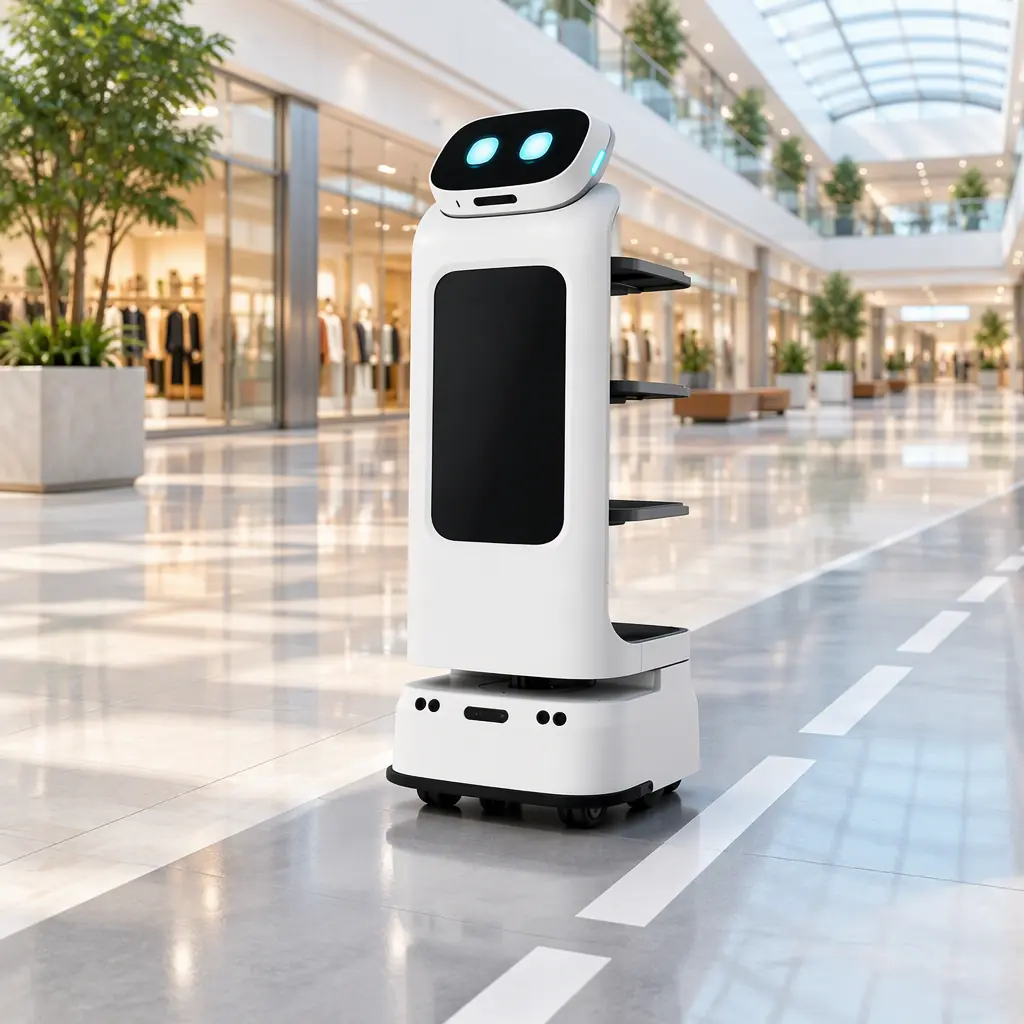
Modern service robots are good at not hitting things. Lidar, depth cameras and bumpers stop the machine, and a well-tuned unit will refuse to move into a person. That is obstacle safety, and it is necessary but not sufficient. The failure mode that actually generates complaints and incidents is unpredictability: the robot that stops dead in a doorway, the one that swerves unexpectedly around a passer-by, the one that arrives from behind a corner at full speed just as someone steps out. People navigate shared space by reading each other's intent and forecasting, and a robot that cannot be read becomes a hazard even when it never makes contact. Traffic management is the discipline of making the fleet legible.
This is why the perception stack and the traffic rules are separate problems. A perfectly capable navigation system, such as the one described in robot navigation and SLAM, still needs a policy layer telling it what to do at a junction, a doorway or a busy concourse. The policy is a site design decision, and it belongs in the deployment plan next to the coverage arithmetic.
The Right-of-Way Hierarchy
The first rule to write down is who yields. A fleet with no stated hierarchy produces inconsistent behaviour between robots and confusion for pedestrians, so state it once and apply it everywhere.
| Priority | Traffic | Robot behaviour |
|---|---|---|
| 1 (highest) | Emergency evacuation and responders | Full stop, clear path, hold at refuge |
| 2 | Pedestrians with reduced mobility, wheelchair or pushchair | Give way early, at distance, no close passing |
| 3 | Pedestrians on foot | Robot yields; does not assume the person will move |
| 4 | Other robots | Deterministic negotiation, lower-priority unit yields |
| 5 | Robot's own schedule | Never takes priority over any of the above |
The rule that surprises operators is priority three: the robot yields to pedestrians, and it does not assume a person will step aside for it. A fleet whose behaviour relies on people moving out of the way will eventually meet someone who cannot or will not, and the resulting standoff, or worse a nudge, is entirely avoidable. Writing "the robot yields" as a hard rule also makes behaviour consistent and therefore learnable, which is the whole point of the hierarchy.
Speed-Governed Zones
One fleet speed for the entire building is the wrong design. A robot should move quickly down a long empty corridor and slowly where people are dense, where sightlines are short, and where an error would put someone at risk. Zones express that, and the numbers should be written into the deployment plan.
| Zone type | Speed cap | Behaviour |
|---|---|---|
| Long open corridor / back of house | Up to 1.2 m/s | Full sensor coverage, audibly announce on approach |
| General circulation, low density | 0.8 m/s | Yield to pedestrians, keep to the designated side |
| Dense public area, atrium, concourse | 0.5 m/s | Yield early, increase sensor margin, no overtaking |
| Doorways, blind corners, junctions | 0.3 m/s | Approach-crawl, audible cue before entering |
| Near vulnerable traffic | 0.2 m/s or hold | Stop and wait, resume only when the path is clear |
The doorway and blind-corner row is where most incidents are prevented. A robot should slow before it enters a doorway, not as it enters, and it should emit an audible cue so a person on the far side knows something is coming. In buildings where people are distracted, which is most public buildings, the cue is worth more than any sensor. The zone map should be produced as part of the site survey, in the same way the readiness assessment in service robot site survey and readiness already maps coverage and charging.
Blind Corners, Doorways and Dwell Zones
Three site features account for a disproportionate share of near-misses, and each has a specific design answer.
- Blind corners. Reduce speed to crawl before the corner, emit an audible cue, and where the corner is a permanent risk, fit a convex mirror or a reflective marker so the robot's sensors and the pedestrian's eyes both get warning. Design the corner, do not just program it.
- Doorways and swing zones. Hold clear of door swings, which are invisible to the robot's forward sensors and can strike it from the side. Route delivery and cleaning paths so the robot is not waiting in the swing arc.
- Dwell and pickup zones. Place waiting points out of the main flow, never in a doorway or at the foot of a stair or escalator approach. A robot that parks in a thoroughfare to serve a customer converts a convenience into an obstruction, and it is one of the easiest problems to prevent at layout stage.
The general principle is that the environment should carry some of the traffic-management load. Programming can reduce speed and add cues, but it cannot give a robot vision around a solid wall. Where a corner is structurally blind, the building should be adjusted, and this sits naturally alongside the circulation analysis done for busy venues such as airports and transport hubs and shopping malls and retail complexes.
Crowd Density and Recovery Behaviour
Density changes the rules. In a sparse corridor the robot proceeds and yields as needed; in a dense crowd, the robot should stop trying to complete its mission and wait, because a fleet that keeps threading through a packed concourse is both ineffective and alarming. Set a density threshold above which the robot pauses in place, holds its position at the edge of the flow, and resumes when density falls. The threshold is a site number, but the behaviour must be defined, or the robot will default to trying to push through.
Recovery matters just as much. When a robot has stopped for a pedestrian or a crowd, the resume should be gradual and announced, not an instant acceleration back to cruise speed. The people around the robot need a moment to register that it is moving again, and a slow ramp gives them one. This single behaviour does more for perceived safety than any amount of tuning elsewhere.
Near-Miss Logging: Measuring What Almost Happened
You cannot manage collision risk by counting collisions, because the number is either zero or already a failure. The working metric is the near-miss: a stop-for-person event in a blind-corner zone, a pedestrian step-aside, an unexpected emergency stop. If the fleet can log these with location and time, the operator gains a map of where the site is unsafe and can fix the layout rather than the firmware.
| Signal | What it tells you | Action |
|---|---|---|
| Frequent stops in one zone | Zone design or speed cap is wrong | Adjust speed cap, add cue, or reroute |
| Stops clustered at a doorway | Swing arc or sightline problem | Relocate dwell point, add mirror |
| Repeated pedestrian step-asides in one place | Robot path crosses the main flow | Move the route, not the pedestrians |
| Rising stops over weeks | Layout changed or density grew | Re-survey the zone |
Review the log on a fixed cadence and treat the top zone as a work item. This turns traffic management from a one-off commissioning task into a maintained control, and it gives the operator evidence when a layout change is proposed. It also links back to the fleet's wider telemetry, the same data used for safety standards compliance and operational reporting.
The Takeaway
Make the fleet predictable and most pedestrian risk disappears. Publish a right-of-way hierarchy in which the robot always yields, set speed-governed zones down to a crawl at doorways and blind corners, design dwell zones out of the flow, define a crowd-density pause with a gradual announced resume, and log near-misses so the site's unsafe spots get fixed. Obstacle avoidance stops the robot hitting a person; traffic management is what stops the near-miss happening at all, and it is a design decision the operator controls.
Tell us your floor plan, footfall and circulation routes, and we will help you build the zone map and the traffic rules. Contact us.
Continue Reading
Get a Quote
Tell us about your space and workload, we reply within 24 hours.