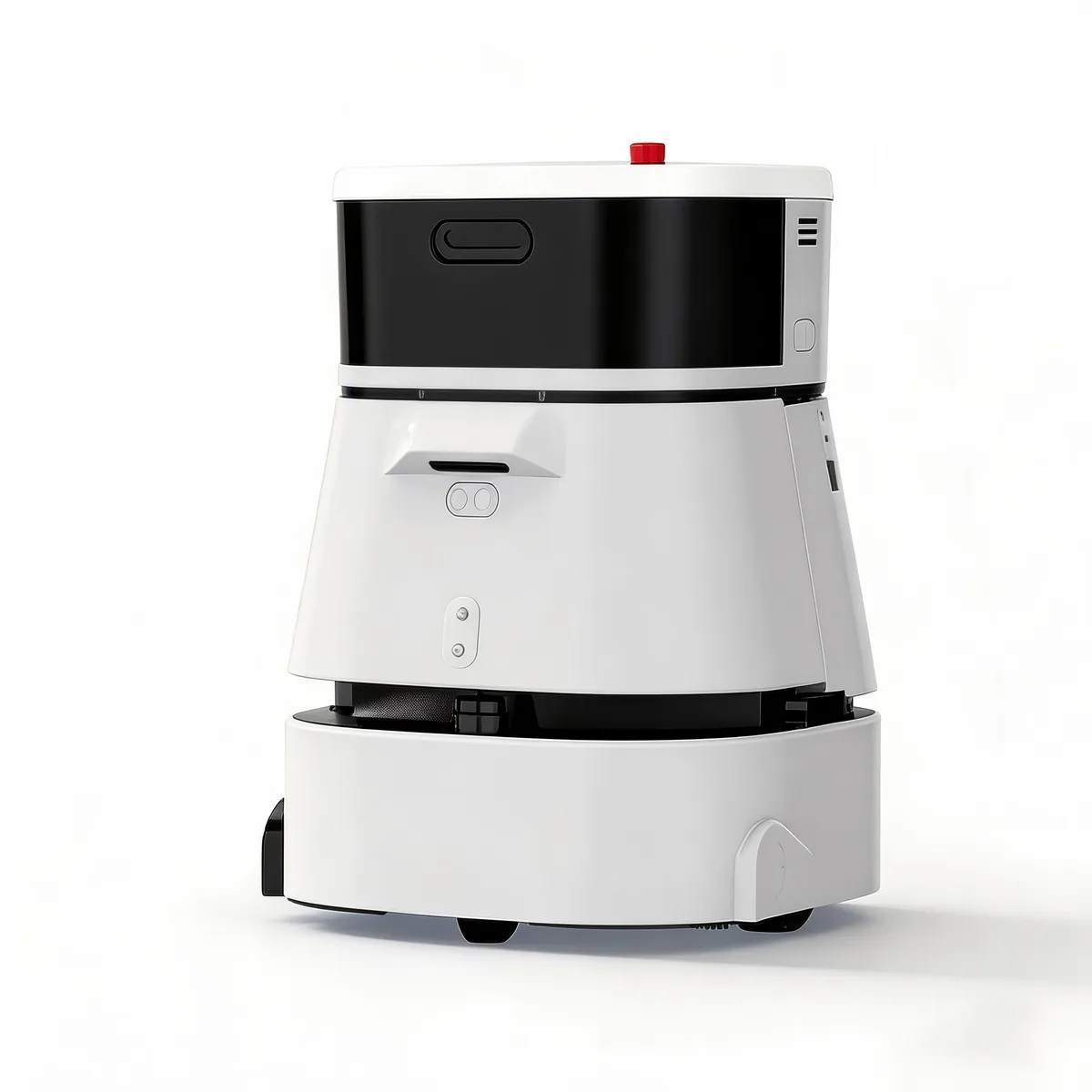
At 3:14 AM on a Tuesday, a delivery robot in a 280-room business hotel stopped in a third-floor corridor. The fire door to the service elevator — normally propped open by a magnetic hold-open device — had been released by a power fluctuation during a brief thunderstorm. The robot's safety protocol, correctly, refused to navigate past a closed fire door. It sent an alert to the fleet management dashboard. The night auditor, the only staff member on duty for the entire property, did not see the alert until 5:45 AM when returning from a security walk. The robot sat idle for 2 hours and 31 minutes. Six guest breakfast-delivery orders — pre-scheduled the night before — were not delivered. The front desk received four complaint calls. The hotel's TripAdvisor rating dropped 0.2 stars that week.
This failure cost the hotel approximately $380 in direct costs (complimentary breakfasts, discount vouchers) and an estimated $2,100 in indirect costs (reputation damage, staff overtime to handle complaints, one cancelled future booking from a guest who cited "service issues" in their cancellation reason). The root cause was not the robot. It was not the fire door. It was the absence of a business continuity plan for the robot's most predictable failure mode: environmental obstruction.
Service robots fail in predictable, manageable ways. The gap between a 15-minute disruption and a 4-hour operational crisis is not the severity of the failure — it is whether the facility had a written escalation protocol and a designated responder.

The 12 Most Common Service Robot Failure Modes (and What They Actually Cost)
Based on fleet telemetry data from deployments across hospitality, healthcare, and retail facilities in 2025-2026, here are the 12 failure modes ranked by frequency:
Category A: Environmental Failures (60% of all stoppages)
1. Path obstruction (22% of failures). A cart, pallet, piece of furniture, or delivery box is placed in the robot's mapped path. The robot stops and waits — typically 30-120 seconds — before requesting human intervention. Cost per incident: $0-50 (labor time for clearance). Mitigation: designate "robot-clear zones" in facility policy; add path-obstruction response to housekeeping/setup staff checklists.
2. Closed door / access denial (15% of failures). A door that was open during mapping is closed during operation. This is the highest-impact environmental failure because it often occurs during off-hours when no staff are nearby. The smart building guide covers door integration — but for non-integrated doors, the mitigation is operational: map alternative routes that avoid doors known to close during off-hours, and integrate door-status monitoring into the fleet management alerting system.
3. Elevator unavailability (8% of failures). The robot summons an elevator that does not arrive within the timeout window. Common causes: elevator in maintenance mode, priority override by human operator, IoT communication failure. For facilities where robots depend on elevators for multi-floor operation — such as hotels and hospitals — this failure mode can cascade: an elevator outage that traps 3 robots on different floors means 3 simultaneous task failures.
4. Floor surface anomaly (7% of failures). Wet floor (freshly mopped, not yet dry), loose carpet edge, uneven threshold, or temporary surface covering (event carpet, construction protective film). Cleaning robots are particularly vulnerable here — the same surface condition that a cleaning robot is supposed to address (wet floor) can trigger its safety-stop if the water depth exceeds sensor thresholds.
5. Lighting conditions outside sensor range (5% of failures). Direct sunlight through a window at a specific angle, complete darkness during a power-saving lighting schedule, or strobing from malfunctioning fluorescent tubes. LIDAR is generally robust to lighting but camera-based obstacle detection is not. Facilities with large glass facades — airports, shopping malls — experience this failure mode most frequently.
6. Wi-Fi dead zone (3% of failures). The robot enters an area with insufficient signal strength for fleet management communication. The robot continues operating autonomously (navigation is onboard, not cloud-dependent) but cannot receive new task assignments or report status. This is not a safety failure but an operational one — the robot effectively disappears from the fleet management dashboard until it re-enters coverage.
Category B: Hardware Failures (25% of all stoppages)
7. Battery depletion during task (10% of failures). The robot's battery management system miscalculates remaining capacity, or a task takes longer than estimated (congested path, elevator wait). The robot diverts to the nearest charging station, abandoning the current task. Prevention: schedule battery replacement at 18-24 month intervals; calibrate battery management algorithms quarterly. The TCO guide covers battery economics in detail.
8. Sensor occlusion (6% of failures). LIDAR, camera, or ultrasonic sensor is partially blocked by dust, cleaning solution residue, condensation, or a physical object (tape, sticker, insect). The robot's safety system triggers a cautious stop because it cannot confirm the path is clear with degraded sensor confidence. Mitigation: daily sensor-cleaning protocol in the robot-management checklist; schedule deep sensor cleaning during monthly preventive maintenance.
9. Mechanical component wear (5% of failures). Wheel bearing degradation, drive motor brush wear, suspension bushing fatigue, or cleaning-mechanism component failure (pump seal, brush motor). These are gradual failures — vibration increases, noise levels rise, task completion time trends upward over 2-4 weeks before hard failure. A fleet management platform with vibration monitoring and task-time trend analysis catches these before hard failure.
10. Charging dock connection failure (4% of failures). The robot docks but the charging contacts do not engage properly — misalignment, contact corrosion, or debris on the contact surface. The robot reports "docked" but does not charge. Discovered only when the next task fails due to low battery. Mitigation: weekly charging contact inspection and cleaning; automated charge-rate verification (if the robot reports <90% charge after 2 hours on dock, alert).
Category C: Software and Integration Failures (15% of all stoppages)
11. Map drift / localization failure (10% of failures). Over time, the robot's internal map drifts from physical reality — furniture rearranged, seasonal decorations mounted, temporary partitions installed. The robot's SLAM system detects a discrepancy between LIDAR data and its stored map, enters localization-recovery mode (spins in place, re-scans), and if unable to resolve, stops and requests re-mapping. The SLAM technology guide covers the technical mechanics — from an operations perspective, budget for quarterly map updates and always re-map after major facility changes (renovation, seasonal reconfiguration).
12. Integration timeout / API failure (5% of failures). The robot attempts to communicate with an external system — elevator controller, automatic door, access control system, work-order system — and the API call times out or returns an error. The robot's safety protocol treats an integration failure equivalently to a closed door: stop and wait. This failure mode is most common in facilities with complex integrations, such as hospitals with EHR-linked delivery routing or hotels with PMS-integrated room-service dispatching.
Business Continuity Framework: The 15-Minute Rule
The operational target for any service robot deployment should be: no robot stoppage exceeds 15 minutes from failure detection to resolution. This is aggressive but achievable with the right protocols.
Tier 1: Automated Recovery (Target: <2 minutes)
The robot's onboard software attempts self-recovery for the most common failure modes:
- Path obstruction: wait 30 seconds for obstacle to clear (a person walking past), then re-plan route
- Localization uncertainty: spin-scan cycle (15-45 seconds), attempt re-localization
- Wi-Fi loss: continue current task, reconnect when back in coverage
If self-recovery succeeds, no alert is generated. The failure is logged for trend analysis but requires no human intervention.
Tier 2: Alert + Designated Responder (Target: 2-15 minutes)
If self-recovery fails after the timeout window, the fleet management platform sends an alert. The alert must go to a designated responder — a specific person on shift, not a shared email inbox or a dashboard that nobody monitors.
For facilities with 24/7 staffing (hospitals, hotels with night audit, 3-shift manufacturing), this is straightforward: the robot coordinator or shift supervisor receives alerts via push notification or pager. For facilities without overnight staffing, two models work:
- Remote monitoring service: Third-party services monitor fleet dashboards and dispatch a local on-call responder for physical interventions. Cost: $500-1,200/month, suitable for facilities with 6+ robots.
- Escalation to on-call staff: The alert escalates through a call tree (push → SMS → phone call) to an on-call facilities staff member who lives within 20 minutes of the site. The multi-site deployment guide covers how chains manage this across locations.
Tier 3: Manual Override + Task Reassignment (Target: 15-60 minutes)
If the designated responder cannot resolve the failure remotely (e.g., the robot needs physical extraction from an elevator, or requires on-site remapping), the affected tasks must be reassigned to human staff. This is the backup plan that must exist before deployment:
- Delivery robot down → front desk/housekeeping/nursing staff handle deliveries manually until robot is recovered
- Cleaning robot down → janitorial staff cover the robot's zone using traditional equipment
- Reception robot down → security desk handles all visitor check-in manually
The manual-reassignment protocol must be documented, trained, and tested quarterly. A facility that deploys service robots without a documented manual-reassignment plan is essentially running without a backup generator — everything works until it doesn't.
Failure Mode Risk Matrix by Facility Type
Different facilities experience different failure-mode profiles:
| Facility Type | Top Failure Modes | Peak Risk Window | Critical Impact |
|---|---|---|---|
| Hotel | Path obstruction, elevator unavailability, closed door | 11 PM-6 AM (minimal staffing) | Missed guest deliveries → complaint volume |
| Hospital | Elevator unavailability, sensor occlusion, floor surface | 2 AM-5 AM (night shift, critical deliveries) | Delayed specimen/lab delivery → patient care impact |
| Retail/Shopping Mall | Path obstruction, Wi-Fi dead zone, lighting conditions | 10 AM-2 PM (peak traffic) | Robot stopped in customer pathway → safety hazard + negative experience |
| Corporate Office | Closed door, Wi-Fi dead zone, map drift | Evenings/weekends (no staff) | Robot idle for 12+ hours → zero task throughput |
| Airport | Path obstruction, floor surface, sensor occlusion | 5 AM-8 AM (morning rush) | Robot blocking passenger flow → security incident |
The fleet management guide covers the software tools for monitoring and responding to these failures — but software is only as effective as the human protocol it triggers. A fleet dashboard that shows "Robot 3: Stopped — Obstruction, Corridor B, 02:14 AM" is useless if nobody is designated to read it.
Implementation: The 30-Day Downtime Readiness Plan
Week 1: Failure Mode Audit
Deploy robots in shadow mode (performing tasks but with human backup executing in parallel) for one week. Log every stoppage, every near-miss, every human intervention. Classify each into the 12 failure-mode categories above. This audit tells you what your specific facility's failure profile looks like — which matters more than industry averages.
Week 2: Protocol Design
Based on the audit data, design:
- Automated recovery rules (which failure modes can the robot self-resolve?)
- Alert routing (who receives alerts, by shift and day of week)
- Manual-reassignment procedures (which staff cover which tasks when each robot type fails)
- Escalation timeline (how long before failure escalates from Tier 1 → Tier 2 → Tier 3)
Week 3: Staff Training
Train every shift on the protocols. Run failure drills: simulate a robot stoppage during each shift, time the response, debrief. The drill should catch the gaps: "the alert went to the day-shift supervisor's phone, but she leaves at 4 PM and the failure happened at 5:30 PM."
Week 4: Live Deployment with Monitoring
Deploy robots in production with alerting active. Monitor closely for the first week, then transition to standard operating mode. Review the failure log monthly and update the protocols based on actual data.
The vendor evaluation framework should include a failure-mode support question: "For each of the 12 failure modes in this guide, what is your guaranteed response time and resolution path?" A vendor who cannot answer this question — or who answers "our robots don't fail" — has not deployed at scale.
Service robots will fail. The question is not whether, but whether the failure disrupts operations for 15 minutes or 4 hours. The difference is not the robot. It is the plan.