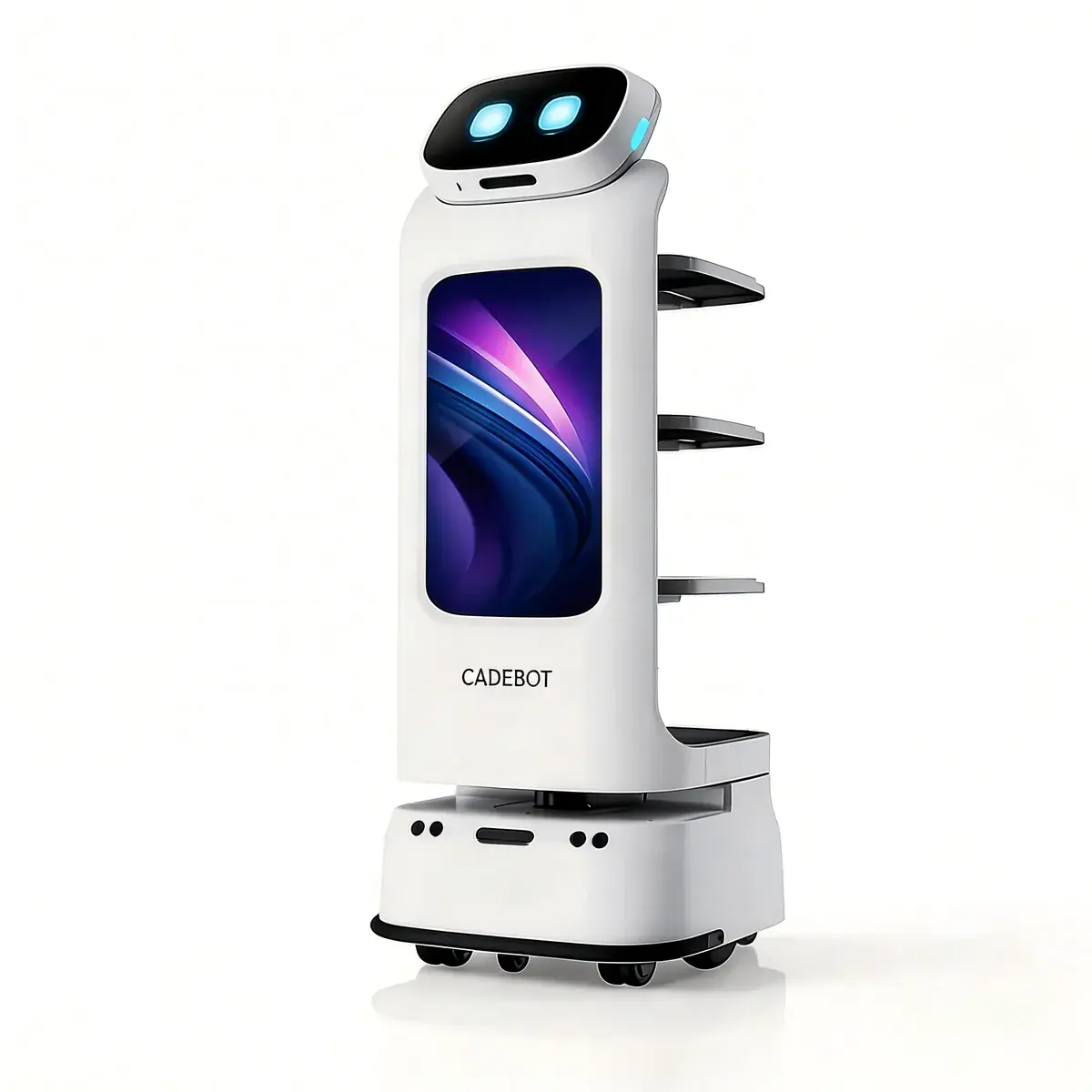
A 300-room business hotel in Shenzhen runs 8 AOMAN DOUBLE delivery robots, 3 CLEINBOT M79 floor scrubbers, and 2 CRUZR lobby concierges — 13 autonomous robots sharing the same corridors, elevators, and charging docks, 24 hours a day. The general manager's first question wasn't "do the robots work?" It was "who manages them?"
The answer is a fleet management system — software that schedules, routes, monitors, and coordinates every robot on the property. As facility managers move from piloting 2–3 robots to deploying 10–30, fleet management shifts from a nice-to-have to the single point of failure in the operation. Here's what operations leaders need to know before that transition.

The Three Problems a Fleet Management System Solves
When a facility runs a single robot type — say, 4 CADEBOT L100 delivery units in a restaurant — coordination is simple. Each robot picks up from the kitchen and delivers to a table. The only scheduling question is which idle robot takes the next order.
The complexity arrives when you add a second robot type, a second workflow, or a second shift. At that point, three problems emerge that no amount of manual dispatching can solve:
1. Intersection Deadlock
Two robots approaching the same elevator lobby from perpendicular corridors. Neither has a clear line of sight. Both stop. Both wait. Neither moves. In a facility with 10+ robots, this happens 6–12 times per hour without a centralized traffic controller.
Fleet management platforms prevent deadlocks by maintaining a real-time occupancy map of every corridor, intersection, and elevator in the building. Before a robot enters a contested zone, the platform reserves it — like a mutex lock in distributed computing. AOMAN's HDOS 2.0 platform processes 200+ reservation requests per second across a 50-robot fleet, with collision prediction running 3 seconds ahead of each robot's planned trajectory.
2. Charging Queue Collapse
Robots don't self-manage charging well. When battery drops below 20%, every robot at that level heads for the nearest dock simultaneously — creating a queue that wastes 15–25% of total fleet uptime.
A fleet manager staggers charging windows algorithmically. It knows which robot is on a critical task (cannot interrupt), which robot has a 30-minute idle window coming up, and which charging dock is closest to the robot's next scheduled task. In a deployment at an 800-bed Shanghai hospital, staggered charging scheduling increased fleet utilization from 74% to 91% — the equivalent of adding 2 extra robots without buying them.
3. Cross-Workflow Priority Conflicts
At 07:30, the hotel's breakfast delivery robots are at peak demand. At the same time, the lobby CRUZR unit needs to cross the restaurant corridor for its morning check-in shift, and the floor-scrubbing CLEINBOT M79 is finishing its overnight cleaning route through the same area.
Without a fleet manager, this produces a 3-way standoff every morning. With one, delivery gets priority at 07:30 (guest-facing SLA), the CRUZR is re-routed through the service corridor, and the CLEINBOT pauses its route for 8 minutes — then resumes. The platform makes these decisions in under 50 milliseconds, with a priority engine that factors in guest impact, task deadlines, and robot battery levels.

Fleet Architecture: Centralized vs. Distributed Control
Fleet management platforms fall into two architectural camps — and the choice determines how your operation scales:
| Architecture | How It Works | Best For | Limitation |
|---|---|---|---|
| Centralized | Single server schedules all robots, holds full map, assigns all tasks | Single-vendor fleets, sub-30 robots | Server failure = fleet stops; latency > 200ms degrades performance |
| Distributed | Each robot runs edge compute; swarm protocol negotiates tasks peer-to-peer | Multi-vendor fleets, 30+ robots, multi-building campuses | Higher per-robot compute cost; emergent behavior harder to debug |
| Hybrid (HDOS 2.0) | Central scheduler for task assignment + edge navigation per robot | Mixed workloads, sub-100 robots | Requires vendor API integration for non-native robots |
AOMAN's HDOS 2.0 uses the hybrid model. The central scheduler handles global decisions — task assignment, charging windows, elevator reservations, zone priorities. Each robot runs local SLAM 3.0 navigation and obstacle avoidance independently, with 1cm positioning accuracy from LiDAR + RGB-D fusion. If the central server loses connectivity, robots continue their current task and the last 3 queued tasks from local cache — enough for 20–40 minutes of autonomous operation before needing reconnection.
For a technical deep-dive into the navigation layer, see our guide to SLAM navigation and autonomous robot perception.
Task Scheduling: What the Algorithms Optimize For
Fleet management is fundamentally a scheduling problem, and the objective function changes by industry:
Hotels: Minimize Guest Wait Time
A hotel guest requesting a toothbrush at 23:15 doesn't care about fleet efficiency — they care about door-to-door time. Hotel fleet scheduling uses shortest-time-to-doorstep as the primary metric, weighted by guest tier (executive floor guests get 5–8 minute SLA; standard rooms get 10–12 minutes).
The Shenzhen hotel deployment mentioned earlier measures the following with 8 AOMAN DOUBLE units:
| Metric | Before Fleet Manager | After HDOS 2.0 | Change |
|---|---|---|---|
| Average delivery time | 14 min | 6.2 min | −56% |
| Peak-hour delivery capacity | 24/hr | 47/hr | +96% |
| Robot idle time (waiting for assignment) | 22% | 4% | −82% |
| Guest complaints (delivery delays) | 8/week | 0.5/week | −94% |
Hospitals: Maximize Task Completion Rate
In a hospital, a late delivery isn't an inconvenience — it's a clinical risk. Lab samples, medications, and sterile instruments have hard delivery windows measured in minutes. Hospital fleet scheduling prioritizes on-time completion rate above all else.
The 800-bed Shanghai hospital deployment uses 12 CADEBOT L100 units for specimen transport, meal delivery, and pharmacy distribution. The fleet manager maintains 99.4% on-time delivery across 1,800+ daily tasks by:
- Pre-assigning emergency lanes (one corridor permanently reserved for STAT deliveries)
- Predictive battery management (never below 30% for pharmacy robots, 40% for specimen transport)
- Elevator slot reservation with hospital building management system integration
Warehouses: Maximize Throughput per Square Meter
In a 20,000 sq m distribution center, the constraint isn't robot speed — it's aisle width and dock door access. Warehouse fleet scheduling optimizes for picks per hour per aisle, coordinating delivery AMRs with human pickers so neither waits for the other.
Our guide to AMR deployment in warehouses covers the facility-layout considerations in detail.

Multi-Vendor Integration: The Real-World Challenge
Few facilities buy all their robots from one vendor. A hotel might have AOMAN delivery robots, a different vendor's vacuum robot, and a third vendor's security patrol drone. The fleet management platform needs to coordinate them all — but each vendor has a proprietary API, or worse, no API at all.
Three integration approaches exist today:
Vendor-Native Fleet Managers (HDOS 2.0 for AOMAN robots): Full control over scheduling, firmware updates, diagnostics, and task assignment. Zero integration latency. Works brilliantly — for that vendor's robots only. If you have a mix of AOMAN and non-AOMAN robots, native management covers 100% of AOMAN units and 0% of the others.
Third-Party Orchestration Platforms: Products like Relay, Formant, and InOrbit connect to 15–30 robot APIs and provide a unified dashboard. The tradeoff: each vendor API supports a different subset of features. One vendor's API exposes battery level but not task status. Another exposes position but not firmware version. The orchestration layer works at the lowest common denominator — which is often just "is it online and where is it?"
Middleware + Human Dispatch: The reality for most deployments under 15 robots. A tablet-based dispatch app lists all robots. Human operators manually assign tasks. It's slower and more error-prone, but it works for sub-15-robot fleets where the coordination complexity hasn't yet exceeded what one person can manage. The breakpoint is typically around 12–15 robots — beyond that, manual dispatch produces enough assignment errors and deadlocks to erode the ROI.
Fleet Metrics That Actually Matter
Operations directors tracking fleet performance should measure four metrics, not twenty:
| Metric | Definition | Green Zone | Red Flag |
|---|---|---|---|
| Utilization Rate | % of operating hours a robot is actively on task | > 85% | < 70% |
| Task Completion SLA | % of tasks completed within deadline window | > 98% | < 92% |
| Intervention Rate | Human interventions required per 100 robot-hours | < 2 | > 8 |
| Fleet Uptime | % of fleet units operational during scheduled hours | > 97% | < 90% |
The intervention rate is the most diagnostic. Every intervention — a stuck robot, a missed delivery, a false obstacle detection — represents a staff member who stopped their primary job to babysit a robot. When the intervention rate crosses 8 per 100 robot-hours, staff trust in the fleet erodes. They start preemptively overriding robot assignments or bypassing the fleet manager entirely, which creates more interventions in a downward spiral.
The fix is rarely "better robots." It's almost always better fleet management — tighter scheduling, smarter charging windows, and proactive traffic resolution. Our service robot ROI guide covers how these metrics translate to financial outcomes.
Scaling from Pilot to Production Fleet
The path from 3 pilot robots to 30 production robots follows a predictable pattern. Facilities that navigate it successfully follow these four phases:
Phase 1 — Pilot (2–4 robots, 2–4 weeks): Deploy one robot type on one workflow during one shift. Measure utilization and task completion. Do not deploy a fleet manager yet — the complexity doesn't justify it. Goal: prove the robot works in your environment.
Phase 2 — Validation (4–8 robots, 4–8 weeks): Add a second shift or a second workflow. This is when intersection conflicts and charging queue problems first appear. Deploy the fleet manager now — not because 8 robots need one, but because the learning curve takes 2–3 weeks and you want it stable before Phase 3.
Phase 3 — Scale (8–20 robots, 8–12 weeks): Add robot types (cleaning + reception) and extend to all shifts. The fleet manager is now non-negotiable. Cross-workflow scheduling and priority management become the dominant operational concern. Train 2–3 staff members as fleet operators — not robot technicians, but dispatch coordinators who understand the scheduling logic and can override when edge cases arise.
Phase 4 — Optimize (20+ robots, ongoing): The fleet runs autonomously 95% of the time. The operations team shifts focus from "are the robots working" to "can we improve throughput by 10% this quarter." This is where analytics from the fleet manager — heat maps of congestion zones, utilization trends by shift, task-type performance comparisons — drive continuous improvement rather than firefighting.

Fleet Management and Your Existing Technology Stack
A fleet management platform doesn't operate in isolation. It connects to four other systems already running in most commercial facilities:
Building Management System (BMS) — Elevator control, automatic door triggers, HVAC zone awareness. When HDOS 2.0 integrates with the BMS, robots call elevators directly rather than waiting for a human to press the button. In the Shenzhen hotel, elevator integration alone cut delivery times by 2.8 minutes per trip.
Property Management System (PMS) — In hotels, the PMS knows which rooms are occupied, which guests have VIP status, and which rooms have "do not disturb" flags. Fleet scheduling that reads PMS data routes delivery robots around DND rooms automatically and prioritizes VIP floor requests.
Warehouse Management System (WMS) — In warehouses and hospitals, the WMS holds the pick lists and inventory locations that delivery AMRs need. Integration means the robot receives a pick task the moment inventory software detects a bin running low — no human creating a work order. See our manufacturing service robot guide for MES/WMS integration patterns.
Security/Access Control — CRUZR patrol units integrated with building access control can verify that restricted doors remain closed, flag unauthorized badge scans, and correlate patrol findings with access logs. A corporate campus in Singapore uses this integration to reduce after-hours security walkthroughs from 4 manual rounds per night to 1 — with CRUZR units handling the other 3 autonomously. Read our reception and concierge robot guide for more on CRUZR's security capabilities.
How to Choose a Fleet Management Platform
When evaluating fleet management solutions for a multi-robot operation, prioritize these five criteria:
Vendor coverage — Does it manage all robot types you currently own? All types you plan to acquire within 18 months? If the answer is "only one vendor's robots," budget for a migration path.
Scheduling sophistication — Can it handle cross-workflow priority (delivery vs. cleaning vs. reception on the same corridor)? Can it do predictive charging rather than threshold-based? If the scheduling logic is first-come-first-served, it won't scale past 8 robots.
Integration surface area — Does it have documented APIs for BMS, PMS, WMS, and access control? "We can build a custom integration" from a vendor means 6–12 weeks of engineering time. Pre-built connectors mean 3–5 days.
Edge resilience — What happens when the central server goes down? If the answer is "robots stop," so does your operation. Require at least 20 minutes of offline task cache per robot.
Analytics depth — Can you see utilization by robot, by shift, by task type? Can you export raw telemetry for your own analysis? A fleet manager that only shows "green dot / red dot" is a monitoring tool, not a management platform.
The Fleet Is the Product
Individual robots do individual tasks well. A managed fleet delivers a facility-level outcome — guest satisfaction scores, patient throughput, warehouse picks per shift — that no single robot can achieve alone.
The operations directors who treat fleet management as an afterthought spend the first year fixing deadlocks and charging queues. The ones who treat it as a core infrastructure investment — on par with the building's HVAC or access control systems — spend that year measuring throughput improvements and planning the next expansion.
For facilities evaluating AOMAN's product lineup, every robot from the CADEBOT L100 to the CLEINBOT CC201 to the CRUZR connects to HDOS 2.0 natively. For mixed-vendor environments, the platform's REST API supports third-party robot integration with documented endpoints for task assignment, status polling, and telemetry streaming.
For a comparison of delivery robot architectures and how they fit into managed fleets, see our delivery robot selection guide. For cleaning-specific fleet deployment strategies, our commercial cleaning robot buyer's guide covers the operational considerations. And for the financial framework behind fleet scaling decisions, the service robot ROI analysis walks through the complete cost model.