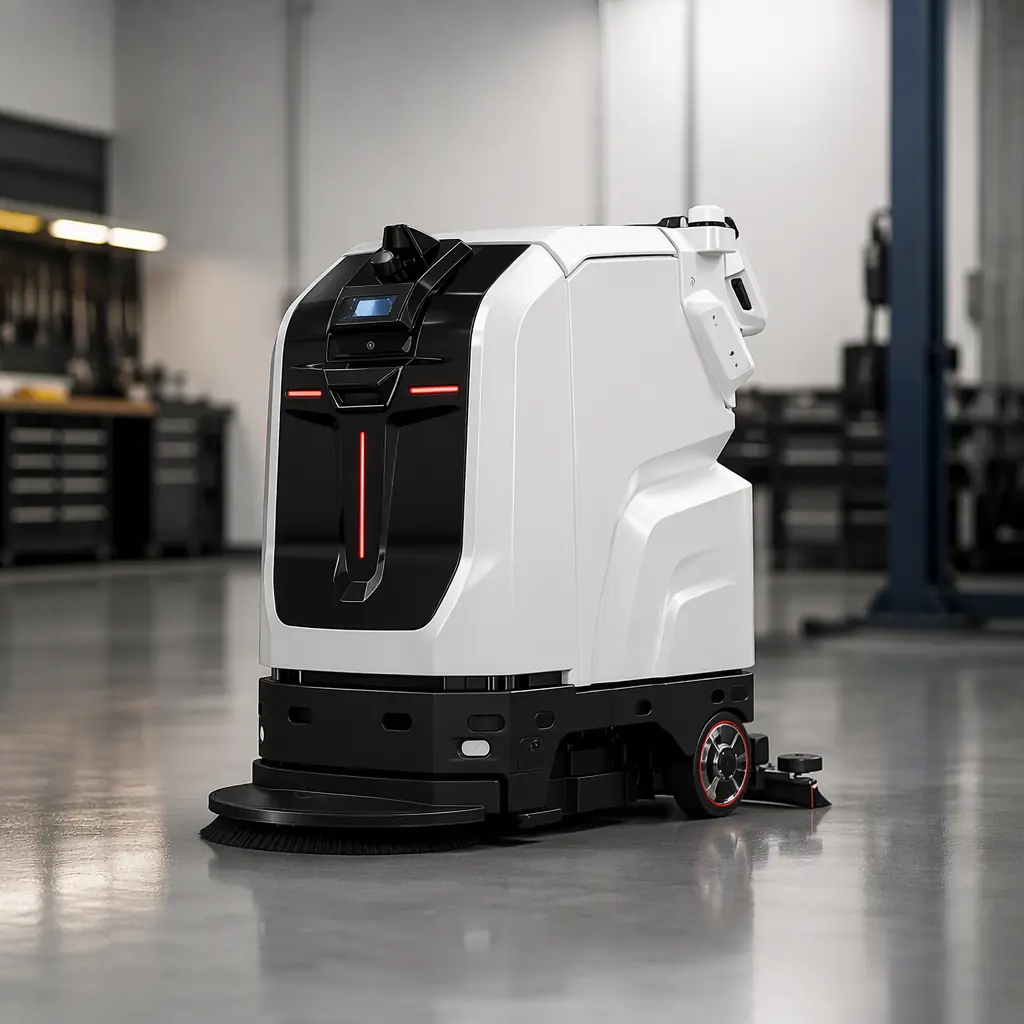
A service robot spec sheet is a trap for the unwary. Two devices can quote the same headline number — "8 hours of runtime", "2,000 m²/h" — and perform completely differently in your building, because the number was measured in a lab with ideal conditions and no obstacles. The difference between a good machine and a bad one is usually in the eight numbers below, and how they are actually tested.
This guide is the filter. It tells you which spec to read, what the meaningful threshold is, and which figures are marketing filler. It applies to all three robot functions AOMAN sells — the CLEINBOT cleaning line, the CADEBOT delivery line, and the CRUZR reception humanoid — but the principles transfer to any vendor.
1. Coverage Rate — The Real One, Not the Laboratory One
The headline m²/h is almost always measured on a clean, empty, flat test lane. Your floor is not that. Pylons, furniture, people, seams, and transitions all cut effective coverage.
Read: m²/h as an upper bound, then multiply by 0.6–0.8 for a real building. The CLEINBOT M79 quotes 2,000 m²/h; a realistic hospital corridor deployment lands closer to 1,400–1,600 m²/h. If you size your fleet on the raw number you will underbuy by roughly a third.
The red flag: a machine that quotes a rate with no test protocol, no floor type, and no obstacle assumption. Ask how it was derived and on what surface.
2. Payload / Throughput — For Delivery Robots
Delivery robots quote payload in kg. CADEBOT L100 carries 60 kg across 4 layers of 15 kg each. Two things to check beyond the headline kg:
- Per-layer rating. Can you actually load 60 kg spread across 4 trays, or is it 60 kg total but only 15 kg per tray? Real loads (crates, meal carts, linen bags) are often single heavy items, so the per-layer number is what catches you.
- Cabin architecture. The AOMAN DOUBLE uses a 70 L dual cabin so one robot can drop a delivery and collect a return in a single run — a throughput multiplier that never appears on a spec sheet. Ask about route efficiency, not just mass. See the delivery robot selection guide for the single-versus-dual-cabin question.
3. Runtime vs Available Hours — The Split Number
"8 hours of runtime" is not the same as "8 hours of usable work". Runtime is measured on flat ground, with a full tank, at a steady pace. Your shift includes recharging, emptied tanks, and idle time waiting for an elevator.
Read: usable work hours = runtime × 0.7, then subtract charge time. The M79 quotes an 8 h runtime with a 4 h dock charge; in practice plan roughly 5–6 h of productive cleaning per charge cycle. The CC201 quotes 10 h with a 5 h charge — its auto-emptying bin and outdoor duty make that runtime genuinely usable, but the charge-ratio is the number to model.
4. Charging & Dock — The Infrastructure Spec Almost Nobody Plans
The dock is the least glamorous spec and the one that most often breaks a deployment. Three sub-numbers matter:
- Charge time to full — how long the robot is out of service. A 3 h charge on a C2 Pro means it can run, do a mid-shift charge, and finish; a 6 h charge on a smaller battery might not.
- Docking reliability — auto-dock alignment tolerance. A robot that fails to seat on its dock every third return is a robot that never gets charged. Demand dock-seat success-rate data.
- Dock placement — one per 4 cleaning robots, within 50 m of the primary route (see the fleet sizing method). Multi-location standby, which the AOMAN DOUBLE supports, lets delivery robots recharge where the next job starts.
5. Deck / Body Width — The Doorway Test
This single number disqualifies more robots than any other. A 720 mm deck on the M79 cannot pass an 800 mm doorway cleanly if the frame leaves clearance, let alone turn a tight corner. The C2 Pro at 440 mm exists precisely for this — a 503×503 mm footprint that navigates retail aisles and lift lobbies.
Read: compare deck width to your narrowest doorway minus 15–20 cm of turn clearance. If it does not fit, the robot is not going to work and no m²/h number saves it. Measure your tightest gate first, then choose a machine. This is the M79 vs C2 Pro decision in one line.
6. Navigation Stack — LiDAR Alone Is Not Enough
Navigation is where cheap robots cut corners. The meaningful spec is the sensor fusion, not the buzzwords.
- Indoor: LiDAR SLAM + RGB-D camera (M79, C2 Pro, CADEBOT, CRUZR) — the depth camera differentiates static map obstacles from moving people, which is why a crowd does not stop the machine.
- Outdoor: GPS + LiDAR + IMU fusion (CC201). Outdoors there is no ceiling to bound LiDAR, so GPS provides absolute positioning across an open, shifting site.
- The tell: a robot with LiDAR only, no depth or IMU, will stop at a moving crowd or drift on an unfeatured outdoor site. Ask what fuses, not just what scans. Our SLAM navigation deep dive covers the technology.

7. Demo Data — The Spec Sheet Does Not Lie, But It Does Omit
The most honest spec is not printed. Before you buy, demand a 30-day pilot on your floor with logged utilisation, obstacle stops, and charge events — not a polished brochure. Obsolete or shelf-ware robots often fail here. The pilot program framework lays out the 30-60-90 day structure, and our failure modes guide lists what those trials usually surface.
8. Total Cost of Ownership — The Number Vendors Hope You Skip
The sticker price is the least important number on the sheet. TCO = purchase + consumables (brushes, pads, filters) + maintenance + charging energy + software subscription. A cheap robot with a 6-month part replacement cycle and a mandatory cloud subscription can cost more over 5 years than a premium machine.
Read: the maintenance & TCO guide and the budget planning methodology for the line-item breakdown. Predictable service contracts and spare-parts supply are worth paying for — see our vendor evaluation framework for the 12-point scoring.

Specs to Ignore
- "AI-powered", "smart", "next-gen" — no measurable meaning. Ask for the sensor, not the adjective.
- Top speed in m/s — a robot is never used at top speed in a building full of people. The CRUZR caps at 0.8 m/s for exactly that safety reason.
- "Unlimited range" — there is no such thing; it means there is no battery figure, which is worse.
The Bottom Line
There are exactly eight numbers that matter: coverage rate, payload, runtime, charge time, deck width, navigation fusion, pilot data, and TCO. Everything else is marketing. Read them in that order, demand the test protocol behind each, and put the machine on your own floor for 30 days before you commit.
For the full evaluation arc — from spec to selection to deployment — read our cleaning robot buyer's guide and the ROI guide. If you are still weighing configurations, start with a pilot and let your own logs decide.